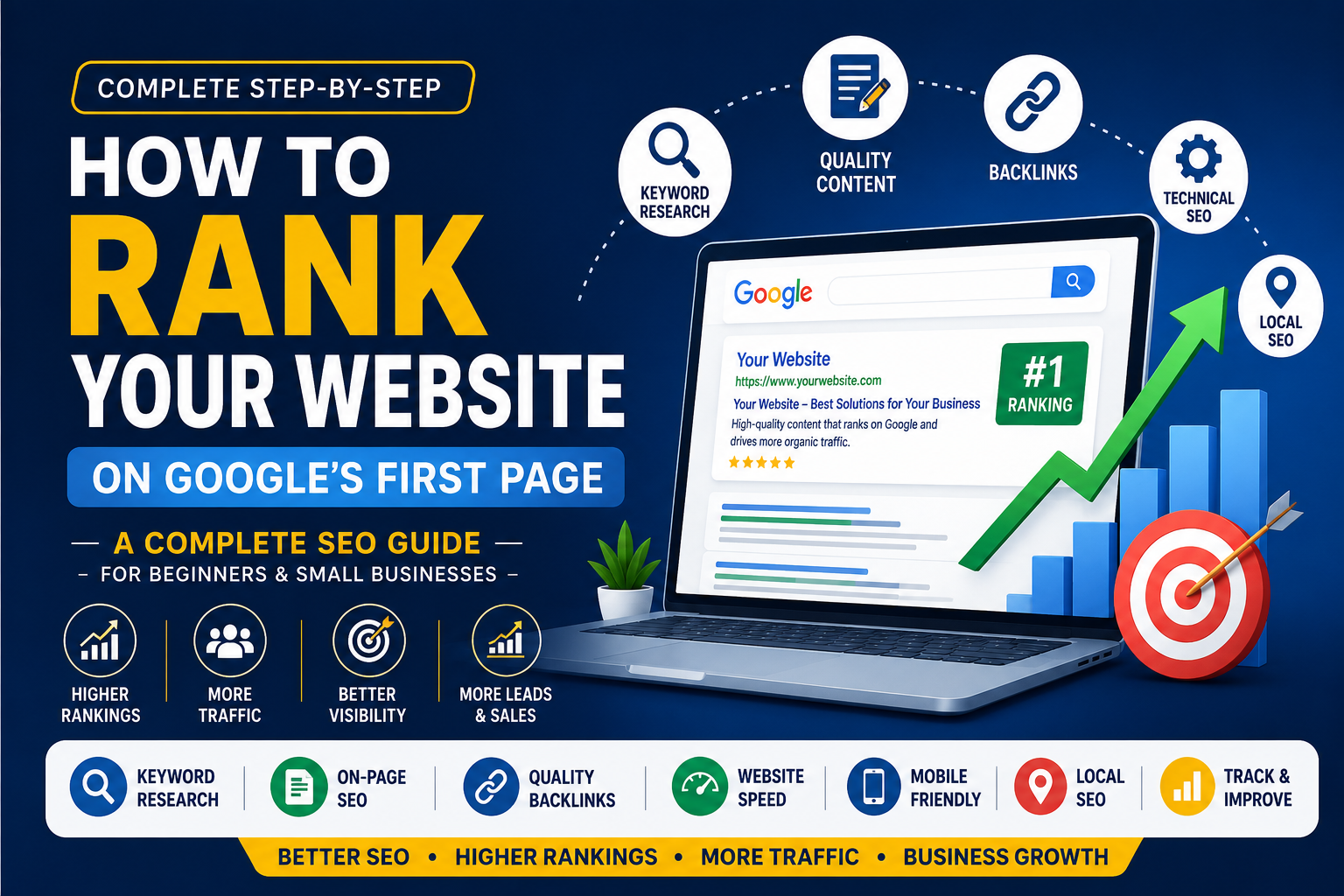
How to Rank Your Website on Google's First Page: A Complete Step-by-Step SEO Guide for Beginners and Small Businesses
Learn how to rank your website on Google's first page with this step-by-step SEO guide. Discover keyword research, on-page SEO, backlinks, and proven strategies.
Introduction
Have you ever wondered why some websites kinda always land at the top of Google, while others seem kinda stuck and hard to find? That’s usually because of Search Engine Optimization, or SEO. SEO is basically the act of tuning up your website, so that search engines like Google can understand what you’re publishing and then show it to the right crowd, not just anyone.
Getting your site onto Google’s first page, it’s not a thing that happens overnight, no. It takes time , steady effort and a solid plan. But here’s the good part: you don’t have to become some full on SEO expert just to start. If you’re new to this, or you run a small business, or you’re managing a company website for someone else, using smart SEO routines can push your rankings up and bring in more visitors.
In this guide we’ll go through the key moves, step by step, so your website can edge closer to Google’s first page.
Why Does Ranking on Google's First Page Matter?
Think about your own search habits. When you search for something on Google, how often do you click on the second or third page? Most people don't. That's why businesses compete for the top search results.
Ranking on the first page can help you:
- Increase website traffic
- Build trust and credibility
- Generate more leads and sales
- Improve brand awareness
- Reach customers without relying only on paid ads
The better your website ranks, the more opportunities you have to grow your business.
Step 1: Find the Right Keywords
Keywords are the words and phrases people type into Google. Choosing the right keywords is the foundation of SEO.
Instead of targeting broad keywords like "digital marketing," focus on more specific phrases such as "digital marketing services for small businesses" or "SEO services for local businesses."
You can use tools like:
- Google Keyword Planner
- Google Search Console
- Ubersuggest
- Ahrefs
- SEMrush
Look for keywords that have good search volume but aren't too competitive if you're just starting out.
Step 2: Create Helpful and Original Content
Google wants to show users content that answers their questions. Instead of writing just for search engines, write for people first.
Your content should:
- Solve a problem
- Answer common questions
- Be easy to read
- Include useful examples
- Be well organized with headings
The more value your content provides, the better your chances of ranking well.
Step 3: Optimize Your Page for SEO
On-page SEO helps Google understand what your page is about.
Make sure each page includes:
- A clear SEO title
- A compelling meta description
- One H1 heading
- Proper H2 and H3 subheadings
- Your target keyword used naturally
- Internal links to other pages
- Optimized images with descriptive alt text
Avoid stuffing keywords into every sentence. Natural writing always performs better.
Step 4: Improve Website Speed
Visitors don't like waiting for slow websites to load, and Google considers page speed when ranking websites.
You can improve speed by:
- Compressing images
- Removing unnecessary plugins
- Using browser caching
- Choosing reliable web hosting
- Minimizing CSS and JavaScript files
A faster website provides a better user experience and can improve your SEO performance.
Step 5: Make Your Website Mobile-Friendly
Today, most people browse websites using their smartphones.
Your website should:
- Adjust to different screen sizes
- Have readable text
- Use easy-to-click buttons
- Load quickly on mobile devices
- Offer simple navigation
A mobile-friendly website improves both user experience and search rankings.
Step 6: Build High-Quality Backlinks
Backlinks are links from other websites pointing to yours. Google sees these as a sign that your content is trustworthy.
Some ways to earn quality backlinks include:
- Writing guest posts
- Creating valuable blog content
- Publishing case studies
- Sharing useful guides
- Listing your business in trusted directories
Focus on earning links from reputable websites instead of buying low-quality backlinks.
Step 7: Focus on Local SEO
If you own a local business, local SEO can help customers find you more easily.
Some simple ways to improve local SEO include:
- Create a Google Business Profile
- Add your business address and phone number
- Collect customer reviews
- Use location-based keywords
- Keep your business information consistent across online directories
Local SEO is especially useful for businesses that serve customers in a specific city or region.
Step 8: Keep Your Content Update
SEO is not a one-time task. Search engines prefer websites that stay active.
Review your existing blogs regularly and:
- Update outdated information
- Add new statistics
- Improve readability
- Include new keywords where relevant
- Answer additional customer questions
Fresh content can help maintain or improve your rankings.
Step 9: Improve User Experience
Google pays attention to how visitors interact with your website.
Make your website easy to use by:
- Creating simple navigation
- Using short paragraphs
- Adding images where appropriate
- Including clear call-to-action buttons
- Reducing clutter on each page
A positive user experience encourages visitors to stay longer and explore more pages.
Step 10: Monitor Your SEO Performance
Tracking your progress helps you understand what's working and what needs improvement.
Useful tools include:
- Google Analytics
- Google Search Console
Monitor important metrics such as:
- Organic traffic
- Keyword rankings
- Click-through rate (CTR)
- Bounce rate
- Average session duration
- Conversions
Use this data to improve your content and SEO strategy over time.
Common SEO Mistakes to Avoid
Many beginners make simple mistakes that can slow down their progress.
Avoid these common issues:
- Keyword stuffing
- Duplicate content
- Ignoring mobile users
- Slow-loading pages
- Broken links
- Missing title tags and meta descriptions
- Poor-quality backlinks
- Publishing thin or low-value content
Fixing these issues can make a noticeable difference in your website's performance.
Final Thoughts
Ranking your website on Google's first page doesn't happen overnight, but every improvement you make brings you one step closer. Start with the basics—choose the right keywords, create useful content, optimize your pages, improve your website speed, and build quality backlinks.
SEO is a long-term investment. The more consistently you work on your website, the better your chances of earning higher rankings, attracting more visitors, and growing your business. Stay patient, keep learning, and focus on creating value for your audience. Over time, your efforts can lead to lasting results.
Frequently Asked Questions (FAQs)
1. How long does it take to rank on Google's first page?
SEO usually takes between three and six months to show noticeable results, but the timeline depends on your competition, website quality, and consistency.
2. Is SEO free?
You don't have to pay Google to rank organically, but investing in SEO tools or professional services can help you achieve better results.
3. Can I rank without backlinks?
Yes, it's possible, especially for low-competition keywords. However, high-quality backlinks make it easier to improve your rankings over time.
4. How often should I publish new content?
Aim to publish quality content consistently. Even one well-written blog each week or every two weeks can help improve your SEO.
5. What's the difference between SEO and Google Ads?
SEO helps you earn organic traffic over time, while Google Ads brings paid traffic almost immediately. Many businesses use both strategies together for the best results.
6. Which SEO tool is best for beginners?
Google Search Console and Google Keyword Planner are excellent free tools. Ubersuggest is another beginner-friendly option.
7. Does website speed affect SEO?
Yes. Faster websites provide a better user experience and are more likely to perform well in search results.
8. Is mobile optimization important?
Absolutely. Since most users browse on mobile devices, Google prioritizes mobile-friendly websites in its rankings.